Every patient with their plan, their progress and their pain level in view
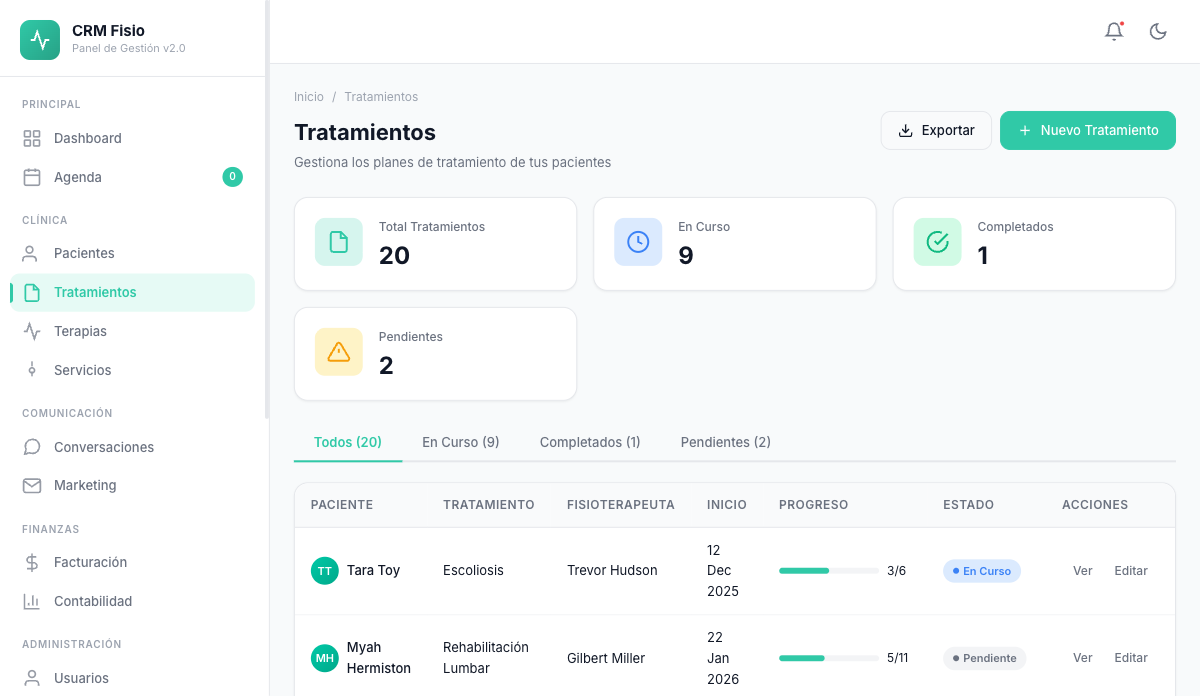
Set the diagnosis, goals and exercises once. Fisionexa schedules the sessions, adds up the progress from every visit and leaves the report ready to hand over.
- Goals and a 0-10 pain scale in every plan
- Exercises and protocols with sets and reps
- Sessions scheduled according to the frequency you set
What gets complicated with treatment plans today
The plan only lives in your head
Goals, number of sessions and exercises scattered across notes, Word documents and memory. If another colleague treats the patient, they start from scratch.
You don't know how much they've improved
Without recording pain at the start and at every session, progress stays at "doing better." Hard to explain to the patient or to whoever referred them.
Exercises get rewritten every time
The same lower-back or shoulder exercises, copied by hand for every patient, with sets and reps that vary depending on who writes them.
What every treatment plan includes
Everything you need to plan, track and close a treatment, right in the patient's record.
Diagnosis, goals and initial pain level
Record diagnosis, goals, type, priority, frequency and session length. Note the initial pain level from 0 to 10 as a starting point.
Exercises and protocols
Add exercises from your library with sets and reps, or load a complete protocol and combine it with others. Adjust it for each patient.
Sessions scheduled automatically
Set the number of sessions, start date and frequency. Fisionexa creates the plan's scheduled sessions and respects the end date if you set one.
Progress and pain evolution
See sessions completed versus planned and the percentage of pain improvement. The current pain level updates from the last completed session.
A report ready to hand over
Generate the treatment report with diagnosis, progress, pain level, exercises and instructions for the patient. Print it or save it as a PDF.
Create the plan by speaking
The voice assistant asks you questions about the treatment and fills in the form with what you say. You review the details and save.
How it works day to day
-
You create the plan at the first visit
Diagnosis, goals, initial pain level and exercises. Typing or by voice, and with a protocol as a base if you already have one.
-
You log every session
Every completed session adds to the plan's progress and updates the current pain level. You don't have to touch the treatment by hand.
-
You close it with a report
Once the planned sessions are reached, the plan completes itself. Print the report for the patient or for whoever referred them.
Duplicate a plan that works for you in one click
If you have a knee or neck plan that already works, duplicate it for another patient. The copy starts from scratch on progress and current pain level, and you only adjust what changes. And if the patient goes on a trip, pause the plan and resume it when they're back.
- A copy with goals, exercises and frequency already filled in
- Clear statuses: pending, in progress, suspended, completed, cancelled
- Normal, high or urgent priority to order your workload
- Export the list of treatments to CSV
What people usually ask
Can I use my own exercises and protocols?
Yes. You build your library of exercises with description, materials, duration and a video link, and group them into protocols with their sets and reps. When you create a plan, you load the protocol and adjust it.
Does the patient get something in writing?
Yes. The treatment report includes the exercises with their sets and reps and the instructions for the patient. You print it or save it as a PDF from the browser.
How is pain progress measured?
You record the initial pain level from 0 to 10 when creating the plan, and the pain before and after every session. The plan takes the last recorded value as the current pain level and calculates the improvement percentage.
Who can see the diagnoses?
It depends on each user's permissions: a physiotherapist can see only their own treatments or all of the clinic's. Diagnosis, goals, notes and instructions are stored encrypted in the database.
Keep exploring the system
Every module shares data with the rest: what happens in one reaches the others without copying anything.
See it working with your clinic
Request a free 20-minute demo or jump straight into the interactive demo: the website and dashboard of a sample clinic.